
Inmate Lookup begins with a clear path to NJ custody records, allowing families, attorneys, and citizens to confirm an individual’s detention status in a matter of minutes. By entering a full name, partial name, or exact inmate ID, the system searches the statewide inmate database and returns matching inmate record details such as booking number, facility assignment, custody classification, and record status. Users can also narrow results with birth year or known aliases, which helps when multiple inmate records share the same name. The platform shows whether a record is active, released, or archived, and indicates the last update date for each entry. When a search returns no result, the interface suggests verifying the spelling, checking alternative identification numbers, or confirming that the individual has been transferred to a different jurisdiction. This transparent approach reduces uncertainty and supports accurate record verification without exposing restricted personal identifiers. It also highlights the inmate’s custody classification, such as minimum, medium, or maximum security, providing insight into facility security level.
Inmate Lookup also supports searches by booking number, allowing investigators to trace an individual’s entry into the Newark detention system on a specific date. By supplying the booking number together with the inmate’s name, the query returns the original intake date, charge summary, and any scheduled court appearances. The record displays the assigned facility within Essex County, the custody classification, and whether the inmate is eligible for work release or parole, which aids families planning visitation. For those uncertain about the correct record, the system compares personal identifiers such as birth date, gender, and physical description to eliminate false matches. In cases where multiple entries appear, the database flags duplicate names and offers a link to each inmate’s unique ID number for precise identification. When a lookup shows no result, common reasons include recent transfer to a state prison, archival of older records, or restriction of juvenile or sealed records. Understanding these factors helps users interpret why an inmate record may be missing and directs them to contact the appropriate correctional agency for further assistance.
How to Search Inmate Lookup
Inmate Lookup gives you a fast path to New Jersey custody records through the Essex County Sheriff’s Office online portal. The system searches a statewide inmate database, returning details such as booking number, facility assignment, custody classification, and record status. Researchers and residents can cross-reference official jail mugshots through county resources. You can search by full name, partial name, or exact inmate ID number to find matching inmate records within seconds.
The lookup tool is built for families checking on a loved one, attorneys preparing for court, and citizens who need to verify information quickly. You do not need to create an account or pay any fee to use the public search. Results appear directly on the page, showing each inmate’s current status, assigned facility, and the date the record was last updated.
Official Search Portal: https://www.essexsheriff.com/
Steps to Search
- Visit the Essex County Sheriff’s Office official website at the search portal above.
- Click on the inmate lookup or inmate search link located on the main page.
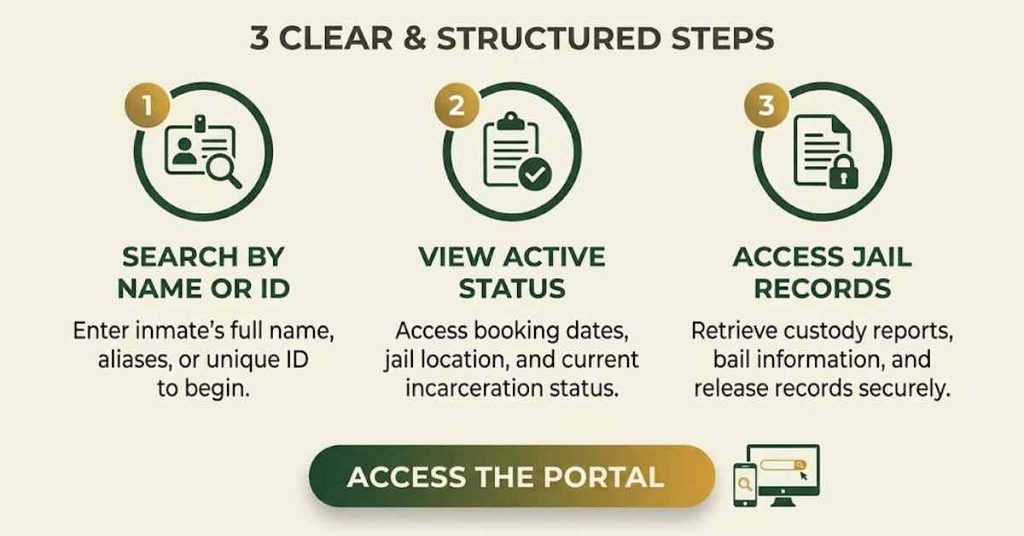
- Enter the inmate’s full name, partial name, or inmate ID number into the search field.
- Add a birth year or known alias to narrow results when needed.
- Review the list of matching inmate records that appear on the results page.
- Click on a specific inmate record to see booking number, custody classification, and facility details.
- Note the record update date and contact the sheriff’s office if you need further verification.
Inmate Lookup by Name
Searching an inmate record by name is the most common method used by families and the public. The inmate database holds records of individuals currently held, recently released, or transferred to another agency. A name search returns all matching entries, which lets you pick the correct inmate record based on personal identifiers.
Look Up an Inmate by Full Name
Entering the full legal name gives you the most accurate match in the inmate database. Start with the last name, then add the first name, and include a middle name if you know it. The system compares the full name against every custody record in Essex County and shows the closest matches first on the results page.
When you search using a full name, you receive fewer results than a partial name search, which reduces confusion between similar names. The record display shows the inmate’s full name, age, gender, and booking number for each entry. You can then click on the inmate ID number to view complete detention details.
Search Using Partial Name Details
A partial name search helps when you are unsure about the exact spelling or full legal name. You can type just the first few letters of the last name and review the list of inmates whose names begin with those letters. This method works well for long names or names that are hard to spell correctly on the first try.
You can enter a first name only, last name only, or a combination of both with partial spellings. The search tool then shows every inmate record that matches the letters you typed. From the list, you can narrow your choice by looking at birth year, gender, and facility assignment to find the correct individual.
Match an Inmate to the Correct Record
When two or more inmates share the same name, you need extra details to pick the correct record. Look at the personal identifiers listed beside each entry, such as birth date, race, and gender. These identifiers help you tell one inmate from another without needing to call the facility directly.
The inmate database also shows an alias field for each record, which lists known nicknames or alternative names. If the individual you are searching for goes by a different name, the alias field can confirm the right match. Always compare at least two identifiers to be sure you have selected the correct inmate record.
Inmate Lookup Information
Every inmate record displayed through the lookup system contains specific pieces of information that help you confirm identity and location. The platform is designed to share factual custody details while keeping restricted personal data private. Below are the main fields you see on each inmate record page.
Inmate Identification Number
An inmate identification number is a unique code assigned to each person at the time of booking. This number stays with the inmate throughout their time in custody and does not repeat for any other individual. Using this number is the fastest way to pull up a specific inmate record without any name confusion.
The inmate identification number is shown clearly on the search results page next to the inmate’s name. You can write it down for future reference or use it to ask staff at the sheriff’s office for additional details. This number also links to all booking entries tied to the same individual.
Assigned Facility
The assigned facility field shows where the inmate is currently housed within the Essex County system. Most inmates are held at the Essex County Correctional Facility in Newark, but some may be placed in alternative locations based on custody needs. Knowing the assigned facility helps you plan visits, send mail, or arrange attorney meetings.
The facility assignment can change if the inmate is moved for medical care, court appearances, or security reasons. The record shows the most recent facility placement along with the date of transfer. If you plan to visit, always confirm the current facility by calling the sheriff’s office before traveling.
Custody Classification
Custody classification tells you the security category assigned to each inmate, such as minimum, medium, or maximum security. This classification is based on the nature of the charges, criminal history, and behavior while in custody. Visitors and attorneys can use this detail to understand the level of supervision at the assigned facility.
The classification also affects visitation rules and programs available to the inmate. For example, minimum-custody inmates may qualify for work release, while maximum-custody inmates have stricter movement rules. The lookup system displays the current classification along with any recent changes to that status.
| Classification Level | Typical Inmate Profile | Visitation Rules |
|---|---|---|
| Minimum Security | Low-risk offenders, short sentences | Standard visiting schedule applies |
| Medium Security | Moderate-risk offenders, longer sentences | Limited contact, scheduled visits |
| Maximum Security | High-risk offenders, violent charges | Non-contact visits, strict supervision |
Record Status
Record status shows whether the inmate is currently in the facility, has been released, or is being held for another agency. Status labels include active, released, transferred, and pending court action. This field updates as the inmate moves through the criminal justice process, giving you a clear view of where they stand today.
The status field also shows the date the record was last refreshed by the sheriff’s office. Records that show recent update dates reflect the most current information available to the public. If a status seems out of date, you can contact the sheriff’s office for a verbal confirmation.
How to Verify an Inmate Record
Verifying an inmate record means making sure the person shown in the lookup matches the individual you are trying to find. The lookup system gives you several tools to confirm identity and reduce the chance of error. Below are the main steps you can follow to check that a record is accurate.
Compare Personal Identifiers
Personal identifiers include birth date, gender, race, and physical features like height and weight. Comparing these details against the person you know helps you confirm whether you have the right inmate record. Most identifiers appear directly on the results page beside the booking number.
You should compare at least two or three identifiers before accepting a record as correct. Birth date is often the strongest identifier, since two individuals rarely share the same name, birth year, and gender. When identifiers match, you can feel confident that the record belongs to the person you are searching for.
Check Record Details
Record details include the booking date, charges listed at intake, and any scheduled court dates. Looking at these entries helps you confirm whether the arrest timeline matches what you already know about the individual. Charges listed in the record should align with publicly available court records for the same case. You can also check the facility assignment to see whether it matches the location where the individual was reportedly taken after arrest. If the facility does not match, the inmate may have been transferred or the record may not be the right one. Cross-checking with court records adds another layer of verification.
Confirm the Correct Individual
Confirming the correct individual means matching all visible identifiers to the person you are researching. Use the booking photo if one is shown on the record to verify the match. Many inmate records include a recent mugshot taken at the time of arrest for visual confirmation. If you still feel unsure about the match, you can ask the sheriff’s office to confirm the inmate’s identity by phone. Staff can answer basic questions about the inmate’s housing unit without sharing restricted personal details. This extra step helps when two records share very similar names and identifiers.
Review the Record’s Last Update
Every inmate record shows the last update date, which tells you how recent the displayed information is. Records that were updated today or yesterday reflect the latest custody status, while older dates may signal that the inmate has been transferred or released. You should always check the update date before relying on any record for legal, personal, or professional purposes. A record that is several days old may not show recent court orders, transfers, or release decisions. Additional municipal documentation and official archives are indexed under current inmates. When in doubt, contact the sheriff’s office for a real-time update.
Inmate Lookup by Identification Number
Searching by identification number is the most direct way to find a specific inmate record. Each inmate receives a unique ID at booking, and that ID never changes for the life of the record. Using the inmate ID number removes the guesswork that comes with name searches and returns one precise match.
Using an Inmate ID
An inmate ID is a series of numbers assigned by the Essex County Sheriff’s Office at the time of intake. Enter the full ID number into the search field marked for inmate identification. The system will return the matching record without listing any other entries, which saves you time and removes confusion. If you do not know the inmate ID, you can find it through a name search first and then use it for future lookups. Keep the ID written in a safe place so you can pull up the same record again without searching by name. This method works well for attorneys and family members who check the same record often.
Using a Booking Number
A booking number is assigned to each intake event and links to a specific arrest on a specific date. When you search using a booking number, the system pulls up the exact intake record tied to that booking. This search is useful when you know the date someone was arrested but cannot remember their full legal name.
Booking numbers are printed on arrest logs and court documents and are useful for investigators and journalists. Enter the booking number into the search field, and the inmate record will appear with the date of intake, charges at booking, and housing assignment. You can use this information to confirm whether an individual was processed by Essex County on a given day.
Matching an Identification Number to a Record
Matching an identification number to a record means making sure the number you are using belongs to the correct inmate. Some identification numbers look very similar, and a single wrong digit can pull up the wrong person. Always double-check each digit of the inmate ID or booking number before submitting a search.
The lookup results will show the inmate’s name beside the identification number so you can confirm the match. If the name shown does not match the individual you are researching, recheck the number and try your search again. When the number and name line up, you can be confident you are viewing the correct inmate record.
| Search Type | What You Enter | Best Used When |
|---|---|---|
| Full Name Search | Last name, first name, middle name | You know the inmate’s legal name |
| Partial Name Search | First letters of last or first name | You are unsure of the spelling |
| Inmate ID Search | Unique inmate identification number | You have the ID from a prior lookup |
| Booking Number Search | Number assigned at intake | You know the booking date or arrest log |
Inmate Lookup Issues
Sometimes an inmate lookup does not return the results you expect, even when the individual is in custody. The most common issues include duplicate records, incomplete search details, and restricted information. Understanding these problems helps you adjust your search and find the right record.
Duplicate or Similar Names
Duplicate names happen when two or more inmates share the same first and last name. The lookup tool lists each inmate separately, and you have to compare identifiers to choose the correct one. Similar names, such as common surnames, can also produce long lists of matches that take time to sort through.
To handle duplicate or similar names, use birth year and middle name to narrow your search. The lookup interface lets you add these filters to reduce the list to the most likely match. You should never select a record based on name alone when other inmates share the same name.
Incomplete Search Information
An incomplete search happens when you enter only a first name or only a last name without enough detail. The system returns a large list of results that may not include the individual you are looking for. Without a birth year or alias, the tool cannot narrow the search enough to highlight the correct record.
You can fix incomplete searches by including additional details such as middle name, birth year, or known alias. These extras help the lookup tool sort through the database and place the correct inmate near the top of the results page. If you still cannot find the person, try a partial name search with different spellings.
Incorrect Identification Details
Incorrect identification details occur when the number you typed contains a wrong digit or letter. A single typo in the inmate ID or booking number pulls up a different record or returns no result at all. This is one of the most common reasons for failed inmate lookups.
To avoid this problem, copy the identification number directly from a court document or prior search result. If you must type the number by hand, double-check each digit before pressing search. When the system returns a return no result message, recheck the number for typos before assuming the person is not in custody.
Unavailable Lookup Results
Unavailable lookup results happen when the inmate has been transferred to state prison, released, or the record is sealed. A return no result message does not always mean the person was never in custody. It often means the record has moved out of the county system or is restricted from public view.
If your search returns no results, try variations of the name and check for alternate spellings or aliases. You can also contact the sheriff’s office directly to ask about an inmate who may have been transferred. Staff can confirm custody placement even when records are not available in the public lookup tool.
Inmate Record Availability
Inmate records are public documents under New Jersey law, but not every detail is available to the public. The lookup system balances transparency with privacy by sharing key custody details while protecting sensitive information. Knowing which records are available helps you set the right expectations for your search.
Publicly Available Information
Publicly available information includes the inmate’s full name, inmate ID number, booking number, facility assignment, custody classification, and record status. The lookup tool displays these fields on the results screen so you can confirm identity and location. Mugshots taken at booking are also part of the public record.
This information is shared to help families, attorneys, and the public verify custody status. You do not need a reason to view publicly available details, and the tool is open 24 hours a day through the official portal. The Essex County Sheriff’s Office updates these records regularly to keep information current.
Restricted Inmate Information
Restricted inmate information includes social security numbers, home addresses, phone numbers, and medical records. These items are protected by privacy laws and are not shown through the public inmate lookup. Juvenile records and records sealed by court order are also kept out of the public search results.
Access to restricted information is limited to law enforcement agencies, attorneys of record, and other authorized parties. If you need details beyond what the lookup shows, you must file a formal request through the sheriff’s office or the appropriate court. The public lookup will not release these details under any circumstance.
Recently Updated Records
Recently updated records show the most current custody status, including new charges, transfers, and release dates. The lookup system refreshes these records throughout the day as new information enters the system. Each record page shows the date and time of the last update so you know how fresh the information is.
When you need up-to-the-minute custody information, look at the update date before reading any other field. A record updated within the last 24 hours gives you the most accurate picture of the inmate’s current status. Records updated weeks ago may not reflect recent court orders or transfers.
Archived Lookup Information
Archived lookup information covers inmates who were released or transferred long ago. These records stay in the database for a set period before being moved to long-term storage. Older records may still appear in a name search, but the details shown may not reflect current whereabouts.
Archived records are often useful for background checks, legal research, and historical inquiries. When you need an old record, use a name search and review all matching entries, since the individual may appear under a previous booking. For records older than the database retention period, contact the sheriff’s office to ask about archived file access.
Contact Information
For questions that the online inmate lookup cannot answer, you can reach the Essex County Sheriff’s Office directly. The office is located at 50 W. Market St., Newark, NJ 07102, and serves as the main hub for inmate records and detention information in Essex County. The sheriff’s office can be reached by phone at (973) 621-4111. Jail information is available 24 hours a day, 7 days a week, while general business hours run Monday through Friday from 8:30 AM to 4:30 PM. Staff can help with inmate record verification, facility details, and questions about restricted information.
The official website search portal is https://www.essexsheriff.com/, where you can perform an inmate lookup, view recent bookings, and access public safety updates. The portal also lists visitation rules, mail policies, and inmate programs for those who want to learn more about detention procedures in Essex County.
Frequently Asked Questions
The Essex County Sheriff’s Office offers an online Inmate Lookup that helps families and friends find a loved one’s custody details quickly. The portal connects to the state‑wide database, showing booking numbers, facility assignments, custody classifications, and current status. Access is open 24 hours a day, and the tool works with a name, ID number, or booking reference. Using this service reduces phone wait times and gives clear, up‑to‑date details about any inmate held in the Essex County jail system.
How can I use the Essex County Inmate Lookup by name?
Start at the official Essex County Sheriff website. Select the “Inmate Lookup” link, then choose the name‑search option. Enter the full last name; adding a first name or year of birth narrows the results. Click search and the system returns a list of matching records with each inmate’s booking number, facility, and custody status. Review the list, locate the correct entry, and click the record to see additional details such as release date and charge summary.
What steps let me find an inmate using the ID number?
Locate the inmate’s unique ID, often called the “inmate number” or “booking ID.” On the lookup page, choose the ID‑search field. Type the exact number without spaces or dashes, then press the search button. The system instantly pulls the matching record, displaying the inmate’s name, current location, and custody classification. If the ID is correct, the result appears even when many inmates share similar names, making this method the fastest way to confirm an inmate’s status.
Why might a search return no results?
A blank result usually means the entered data does not match any active record. Common causes include a typo in the name, an outdated ID number, or the inmate having been released and removed from the public list. Some records are hidden for privacy reasons, such as youthful offenders or individuals whose conviction was later overturned. Double‑check spelling, try alternative identifiers like the booking number, or contact the jail at (973) 621‑4111 for assistance.
How do I verify the accuracy of an inmate record?
Once a record appears, compare the displayed details with any personal documents you have, such as a court notice or a recent call log. Look for matching birth date, booking date, and facility name. If any element differs, note the discrepancy and call the sheriff’s office during business hours (8:30 AM – 4:30 PM, Monday‑Friday). staff can confirm whether the record reflects the latest custody update or if a recent transfer has not yet been posted.
Can I Find Booking Number and Custody Status Online?
Yes. After you locate an inmate by name or ID, the detailed view lists the booking number at the top of the page. Directly beneath, the custody status shows whether the person is “In Custody,” “Released,” or under a specific program such as work‑release. The same screen also notes the current facility and any upcoming parole hearing dates. This concise layout lets you share the key details with family members or legal representatives in just a few clicks.